

- Expert Advisor MT4
- Expert Advisor MT5
- HFT EA
- Gold EA
- Forex EA
- PropFirm EA
- Automatic EA
- EA Best Seller
- EA Verified Profits

EA Dragon Fire X.10 MT4: Ignite Your Trading Potential with Precision – Original Version (1430+) add SetFiles
people are currently looking at this product!
Introducing The Expert EA Dragon Fire X.10 MT4
Name: EA Dragon Fire X.10
Version: updating…
The Right Platform: MetaTrader 4 (MT4)
What is EA Dragon Fire X.10 MT4?
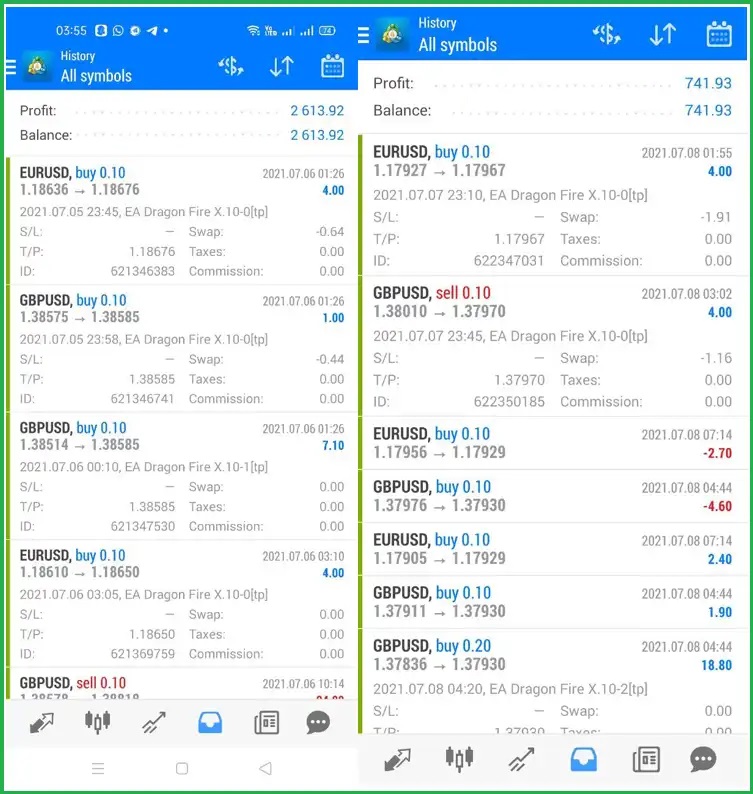
EA Dragon Fire is an advanced trading tool that works on forex pairs on the MT4 platform and has achieved great success when running on real accounts over a long period.
- Vendor Website: Access now
Notable Features
- You can start with the lowest possible amount starting from $100 for a cent account or $300 for a standard account to suit your financial capacity
- The expert works on most major pairs, which provides diversity to enhance profits
- EA Dragon Fire is Suitable for all beginners and professional traders due to its ease of use and operation
- Risks can be distributed by creating multiple accounts with larger capital to mitigate potential risks
Transaction Setup
- High risk: Optimize returns with $100 capital, M5 time frame, trading pairs EURUSD, USDCHF, GBPUSD, AUDUSD.
- Balanced: Secure trading with $300 capital, M15 time frame, concentrating on EURUSD and GBPUSD.
Advantages
EA Dragon Fire works on managing the appropriate risk for the account, as it is keen to open trades appropriate for the account capital and not risk opening reckless orders so that the trader does not lose the account.
Disadvantage
- One of the disadvantages is the total dependence on the market. The expert depends greatly on the conditions and movements of the market, and in cases of unexpected fluctuations, the results may be completely unpredictable. Also, the expert has been programmed in advance on certain conditions, so if these conditions are met, it will completely ignore important economic news and events.
Who Should Use EA Dragon Fire
EA Dragon Fire MT4 is suitable for all professional and beginner traders as it improves their trading performance in the Forex market. Whether you are looking for an easy way to make profits in the Forex market or a trading method different from manual trading, the Expert can help you with that.
Performance of EA Dragon Fire X.10 MT4
Trading Results
EA Dragon Fire X.10 Backtesting
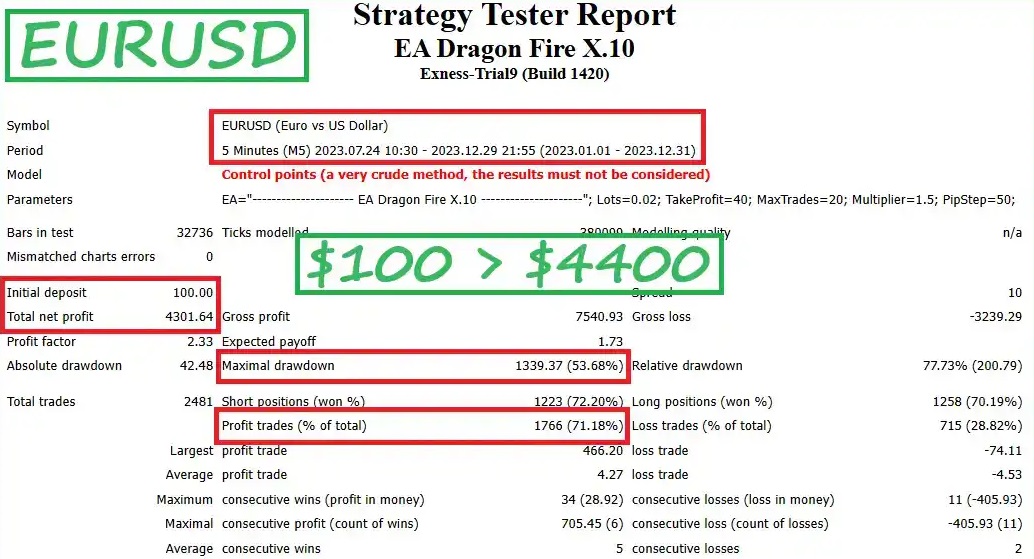
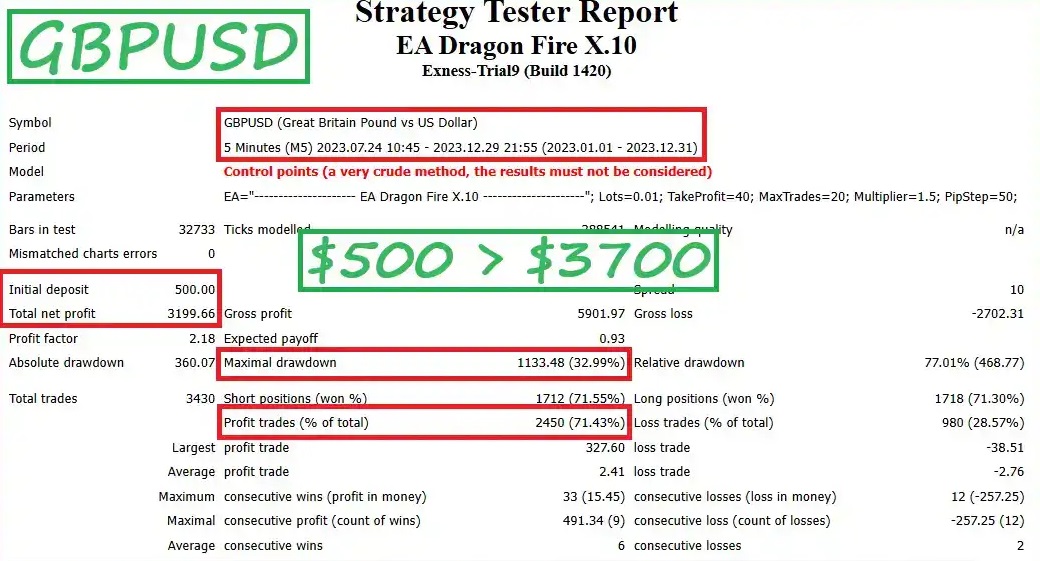
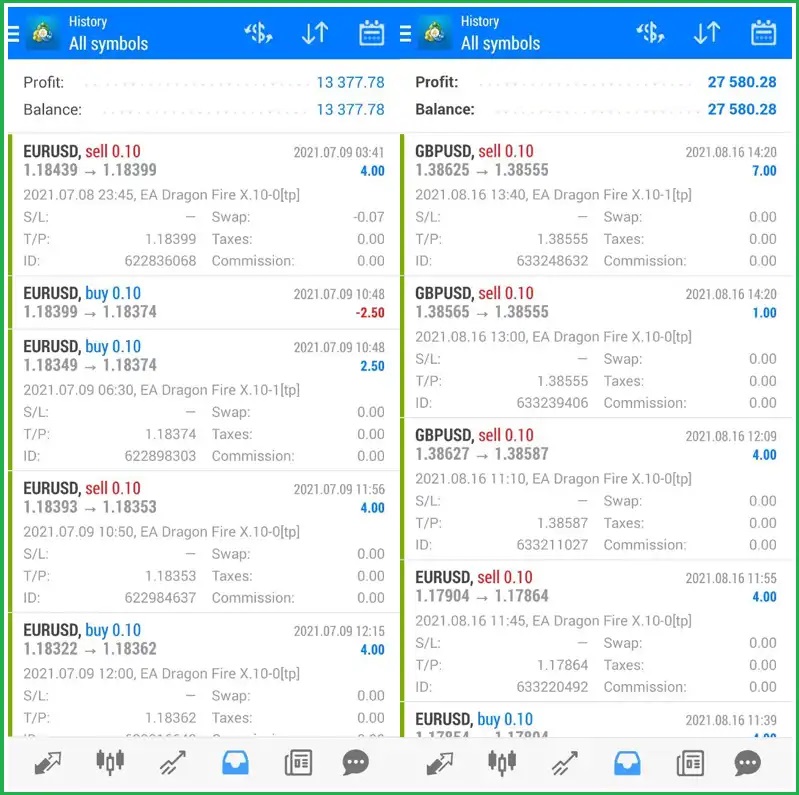
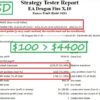
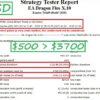
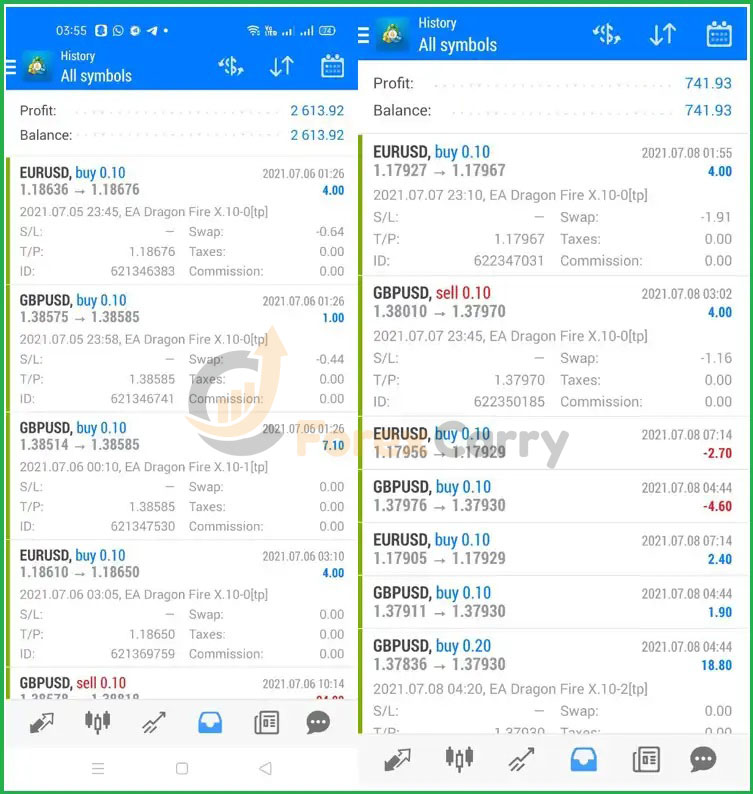
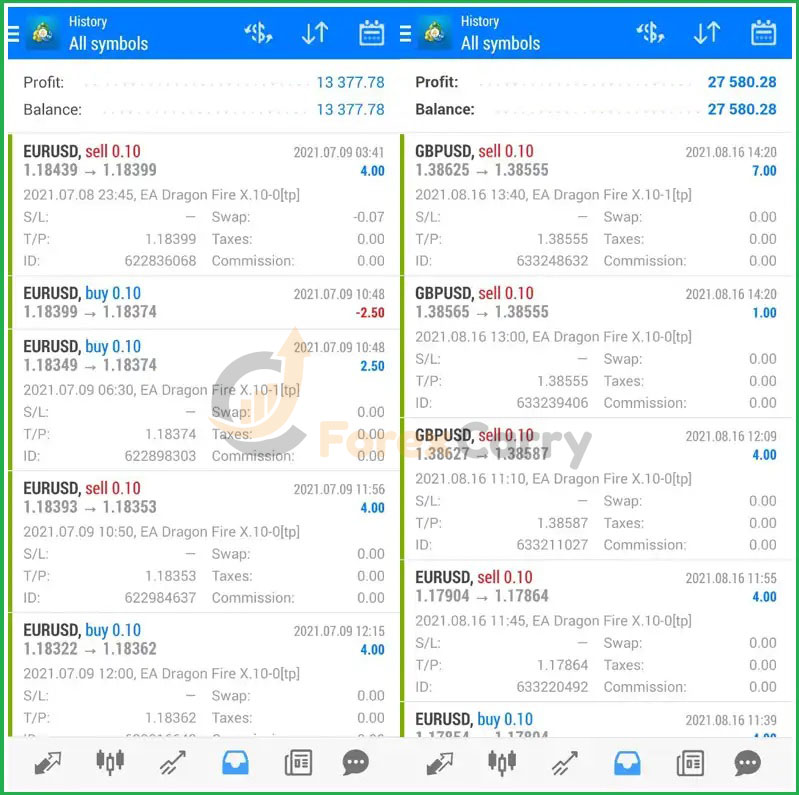
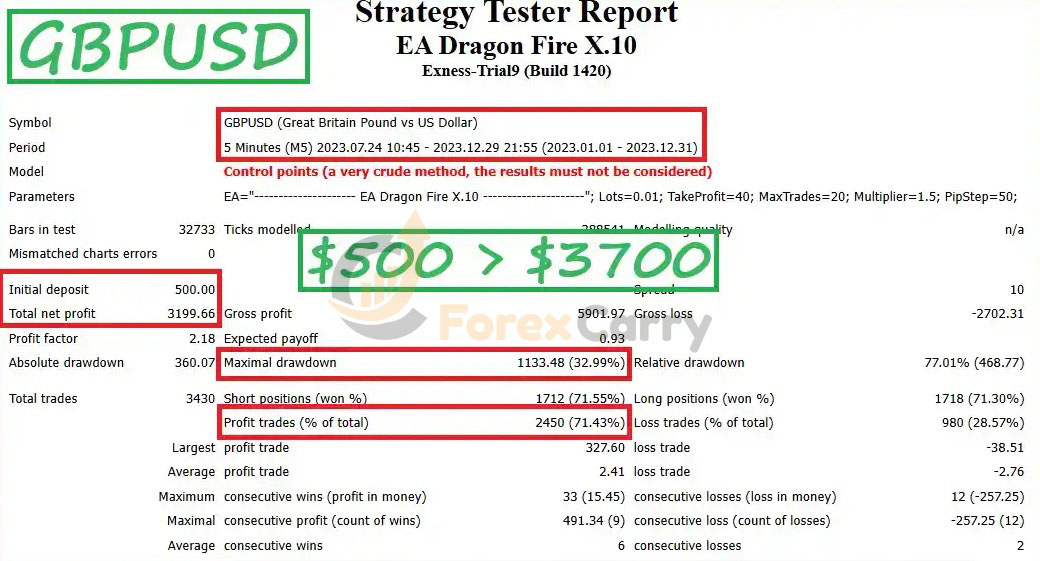
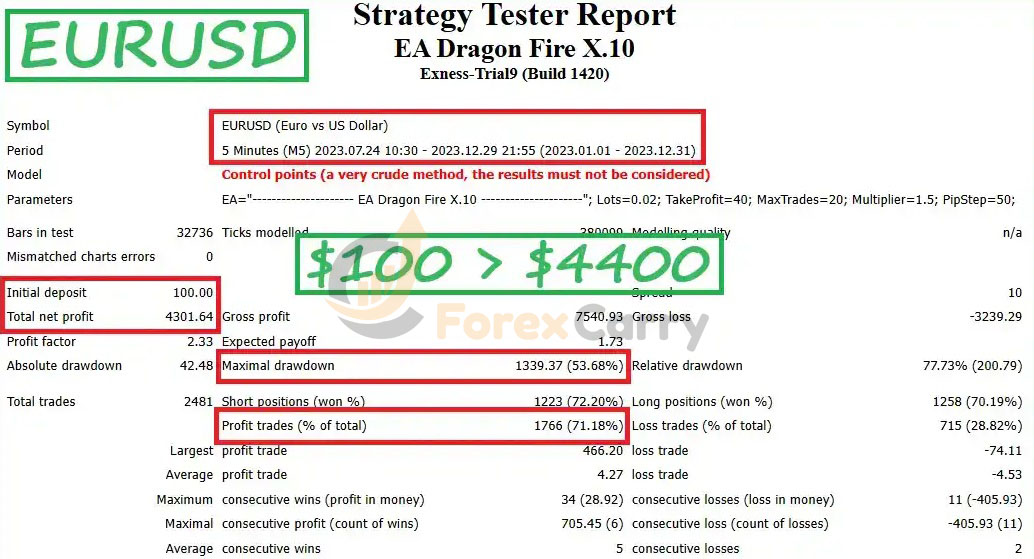
The backtesting outcomes for the EA Dragon Fire X.10 trading algorithm are encouraging. In tests with EURUSD at a $100 capital, profits reached $4400. GBPUSD tests with a $500 capital resulted in $3700 in gains. The highest capital drawdown was safely kept between 30% and 52%. These findings indicate a strong potential for profit generation with modest investment.
Essential Metrics
- Trading Algorithm: EA Dragon Fire X.10
- Testing Duration: 6 Months
- Currency Pairs: EURUSD, GBPUSD
- Profit (EURUSD $100): $4300
- Profit (GBPUSD $500): $3200
- Maximum Capital Drawdown: 30% – 52%
Best Performance Configuration
| Name | Fit |
|---|---|
| Trading Platform | Meta Trader 4 (MT4) |
| Minimum Deposit | $100 |
| Timeframe | M5, M15 (Any time frames) |
| Compatible Currency Pairs | EURUSD, GBPUSD, USDCHF, AUDUSD. |
| Setup Files | Available |
| Product Type | NoDLL / Unlimited / Fix |
What do you get After Downloading?
- Experts : EA Dragon Fire X.10.ex4
- Presets :
- EURUSD 100$ M5.set
- GBPUSD 500$ M5.set
How to install EA Dragon Fire
1 – Download the Expert
Download the Expert file from the email sent to you
How to Extract a File from Winrar
First, if you don’t have Winrar here is the download link, download and install
https://www.win-rar.com/download.html?&L=0
Right-click on the WinRAR file and select ‘Extract Here’ to extract the files in the current location. Alternatively, choose ‘Extract to’ if you want to extract the files into a specific folder.
2 – Add the Expert to the platform
- Open the trading platform and choose File –> Open data folder
- Then go to the MQL4 folder –> Experts
(if the expert works on MT5 then you will choose MQL5 instead)
- Put the Expert file in this folder
- restart the platform
3 – Run the Expert
- Choose the appropriate pair for the Expert and then drag the Expert from the navigator window and place it on the chart (or simply Double click on it)
- Make sure that auto trading is activated in the platform and the Expert as well
Conclusion
EA Dragon Fire works on managing the appropriate risk management for the account capital, as it is possible to start with the lowest possible capital, which is $100. The expert has been tested before on real accounts and has proven great results in the long term, which makes it an expert that can be relied upon to achieve profits.

-
 Original price was: $599.00.$59.00Current price is: $59.00.
 -
 Original price was: $1,499.00.$149.00Current price is: $149.00.
 -
 Original price was: $799.00.$59.00Current price is: $59.00.
 -
 Original price was: $899.00.$59.00Current price is: $59.00.
-
 0Original price was: $1,699.00.$59.00Current price is: $59.00.
 -
 0Original price was: $2,600.00.$59.00Current price is: $59.00.
 -
 0Original price was: $2,400.00.$59.00Current price is: $59.00.
 -
 0Original price was: $999.00.$59.00Current price is: $59.00.